The Future of UX: Technology You Don’t Have to Touch
For years, we have interacted with technology through screens—phones, laptops, tablets, and touch panels. Every action required a tap, a click, or a swipe. But as technology becomes smarter, something interesting is happening. The screen is slowly stepping out of the spotlight. This shift is called Zero UI, and it’s changing the way we experience digital products.
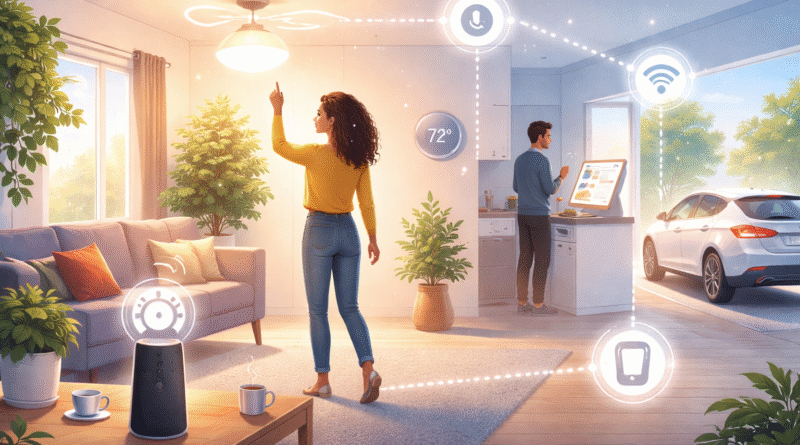
Zero UI stands for Zero User Interface, but it doesn’t mean technology disappears. It means the interface becomes invisible. Instead of looking at screens or navigating menus, users interact naturally—through voice commands, gestures, facial recognition, sensors, or automated responses. The technology understands what you need and acts without demanding your attention.
A simple example is a smart assistant. When you say, “Turn on the lights,” the lights switch on instantly. There’s no app to open, no button to press, and no screen involved. Another example is your smartphone unlocking with face recognition or your smartwatch tracking your steps automatically. These experiences feel effortless because the interface stays in the background.
The real purpose of Zero UI is simplicity. People don’t want to learn complicated systems or remember steps. They want things to work smoothly and intuitively. Zero UI removes friction by reducing decision-making and eliminating unnecessary interactions. When done right, users don’t even think about the technology—they just enjoy the result.
Zero UI is especially powerful in environments where screens are inconvenient or unsafe. Think about driving a car. You shouldn’t be looking at a screen while driving. Voice-controlled navigation, hands-free calling, and automatic safety alerts are all examples of Zero UI improving both convenience and safety. The same applies to healthcare, smart homes, and industrial environments where quick, hands-free actions matter.
However, Zero UI is not about completely removing screens everywhere. Screens are still useful for complex tasks and detailed information. Zero UI works best when it complements traditional interfaces by handling repetitive, simple, or time-sensitive actions. The key is balance—using screens only when they truly add value.
From a user experience perspective, Zero UI shifts the focus from visual design to behavioral design. Designers must understand user habits, context, and intent. The system needs to know when to act, when to ask, and when to stay silent. Trust also becomes important. Users must feel confident that the technology understands them and respects their privacy.
As artificial intelligence, sensors, and automation continue to evolve, Zero UI will become more common in everyday life. We may soon live in a world where technology quietly supports us—anticipating needs, reducing effort, and saving time without demanding constant attention.
In the end, the best technology doesn’t shout for attention. It blends into life so smoothly that you barely notice it’s there. That’s the true power of Zero UI—when technology works without screens, and the experience feels completely natural.